Start with a clean, steady setup
A painted miniature has a lot of detail packed into a small space. Before adjusting camera settings, give the model a place where it can stand securely and be seen clearly. Set it on a level table, clear away stray brushes and paint pots, and check the base for dust or loose fibers. Small distractions can be surprisingly noticeable in a close-up photo.
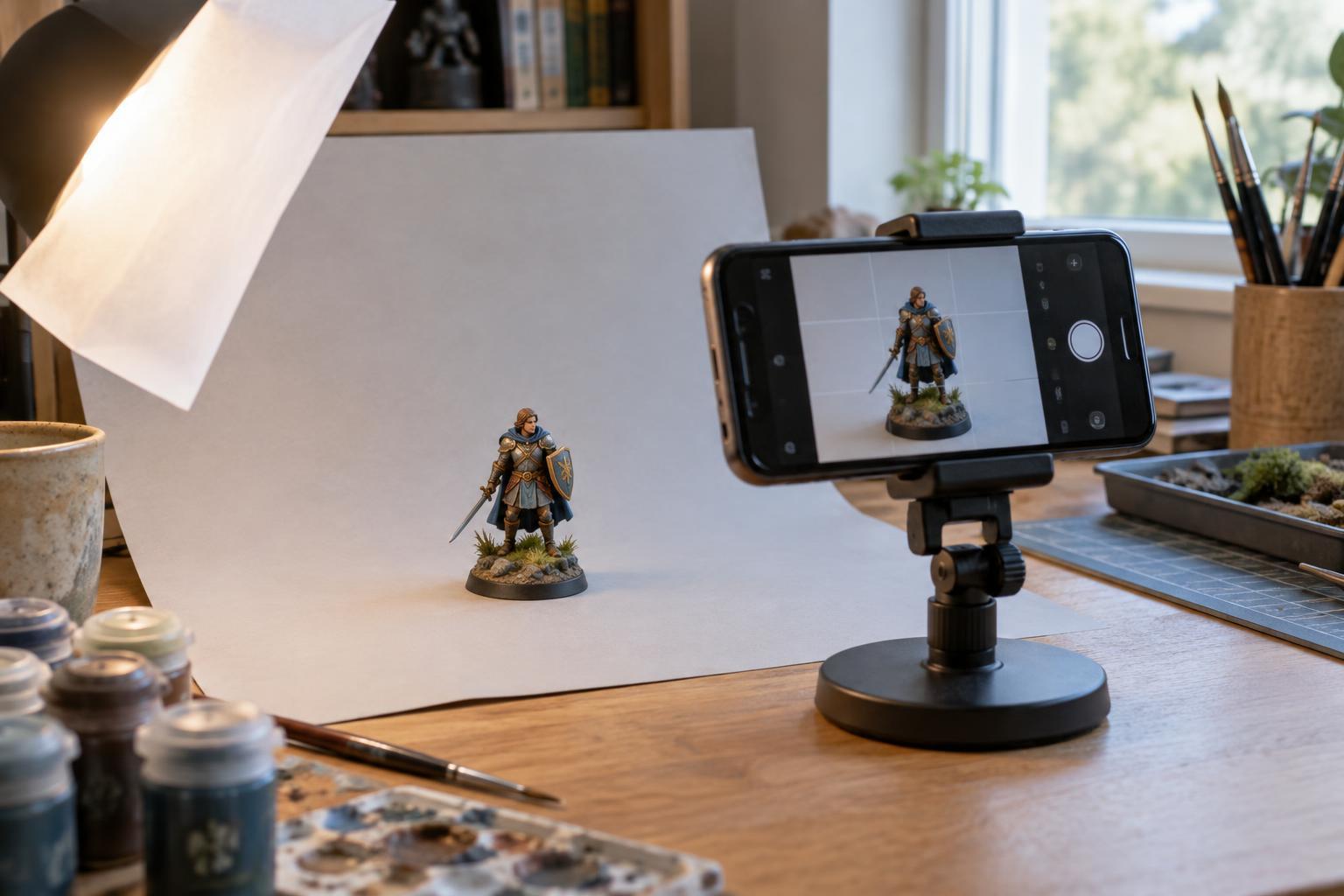
Choose a background that contrasts gently with the miniature. A sheet of matte paper curved upward behind the model makes a simple backdrop without a visible corner. Midtone gray, muted blue or warm neutral paper can work well; the best choice depends on the model’s colors. Avoid a background so bright that pale details disappear or so dark that the silhouette gets lost.
Keep the phone steady, too. Rest your elbows on the table, prop the phone against a stable object or use a small stand if you have one. A short camera timer lets you tap the shutter without jostling the phone. Stability matters especially when the light is dim and the phone takes longer to capture the image.
Build soft light from everyday sources
Soft, even light makes it easier to see a miniature’s paintwork without harsh glare. Daylight from a window is a useful starting point: place the model near the window, but out of direct sun. If one side looks too dark, put a piece of white card opposite the window to bounce some light back toward it. Move the card closer or farther away until the shadows still give the miniature shape without hiding its details.
For evening photos, try one or two ordinary lamps with similar-looking light. Shine them through a light-colored diffuser, such as a thin white cloth or translucent paper held safely away from the bulbs. An LED lamp that stays cool is a more comfortable choice for a small workspace. Do not drape material over a hot lamp. If you use two lights, position one as the main light and keep the other gentler so the model does not look flat.
Look at reflective parts before taking a photo. Gloss varnish, metallic paint and clear bases can produce bright spots that conceal detail. Rather than changing the paintwork, shift the light or turn the miniature slightly. A small change in angle often improves the view while preserving the shine that makes those finishes interesting.
Let the phone focus on the miniature
Place the phone at roughly the miniature’s eye level for a character portrait. A slightly higher angle can help show details on a base, while a lower angle can make a large creature feel imposing. Begin with the phone’s standard camera rather than immediately using digital zoom. Move the phone until the model fills a useful part of the frame, leaving enough space around weapons, wings or other projecting pieces.
Tap the screen on the miniature’s face or another important detail to set focus. If the phone cannot focus when you get close, move back a little and take the photo from there. You can crop afterward; an in-focus image with a little extra background is more useful than a blurry frame filled edge to edge. If your phone offers a macro mode, compare its result with the standard camera rather than assuming one will always be better.
Check brightness on the screen before shooting. Some phones let you slide an exposure control after tapping to focus. Adjust it gently if pale highlights look featureless or dark paint looks like a solid patch. Take a few frames and inspect them at full size, not just as small previews. This is the easiest time to notice missed focus or an awkward shadow.
Choose a view that tells the model’s story
One image rarely shows every part of a miniature. For a single painted figure, start with a clear three-quarter view that reveals the face, pose and base. Then take a second view from the side or back if the cloak, shield or sculpted details deserve attention. Rotate the model between shots while leaving the lights in place; the resulting photos will feel consistent.
For a squad or collection, photograph one model alone before arranging the group. Give the figures a little space so their outlines do not merge, and check that a tall banner or weapon is not hiding a neighboring face. A group shot is useful for showing a shared color scheme, while a close-up makes individual brushwork easier to appreciate. You do not need to force both jobs into the same frame.
Make light edits and keep the colors believable
Review the photos on a larger screen if one is available. Crop away excess background, straighten a tilted tabletop line and make modest adjustments to brightness or color. If a white background looks yellow under a lamp or blue beside a window, a small white-balance adjustment may bring it closer to what you saw in person. Heavy sharpening and strong filters can exaggerate texture or change the apparent paint colors.
Save an unedited copy before making changes, especially if you want to compare paint schemes later. A repeatable setup is more valuable than a perfect one: note which background, light position and phone distance gave you a result you liked. The next time you finish a miniature, you can spend less time troubleshooting the camera and more time sharing the work.